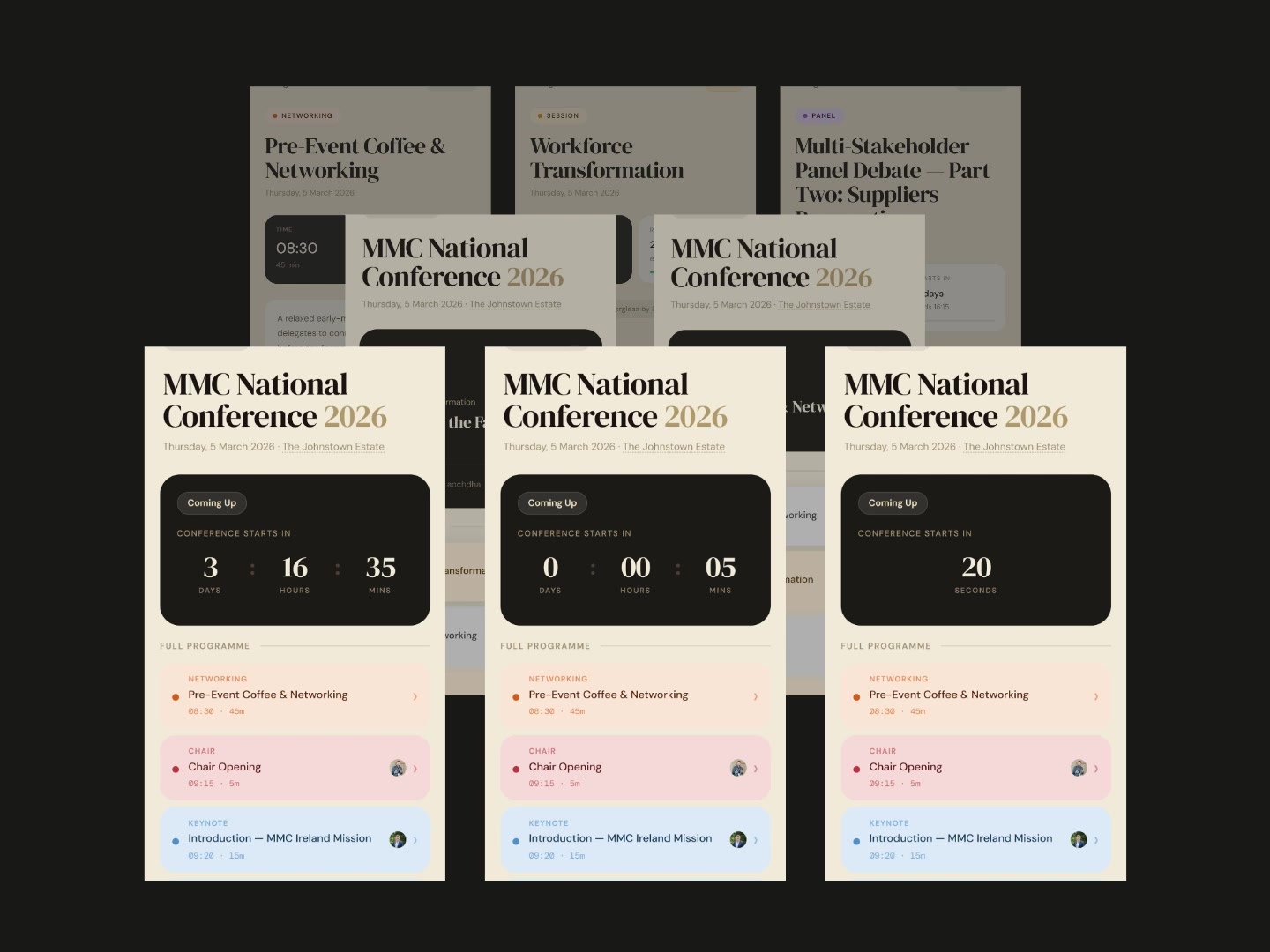
Every conference hands you a printed schedule when you walk in. You glance at it once, fold it into your pocket, and by 11am it’s irrelevant. The chair ran ten minutes long. The panel before lunch got cancelled.
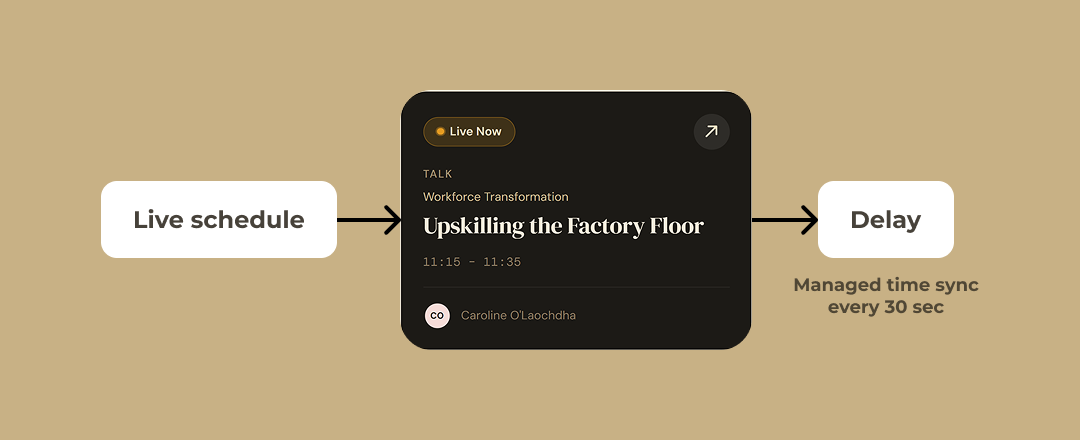
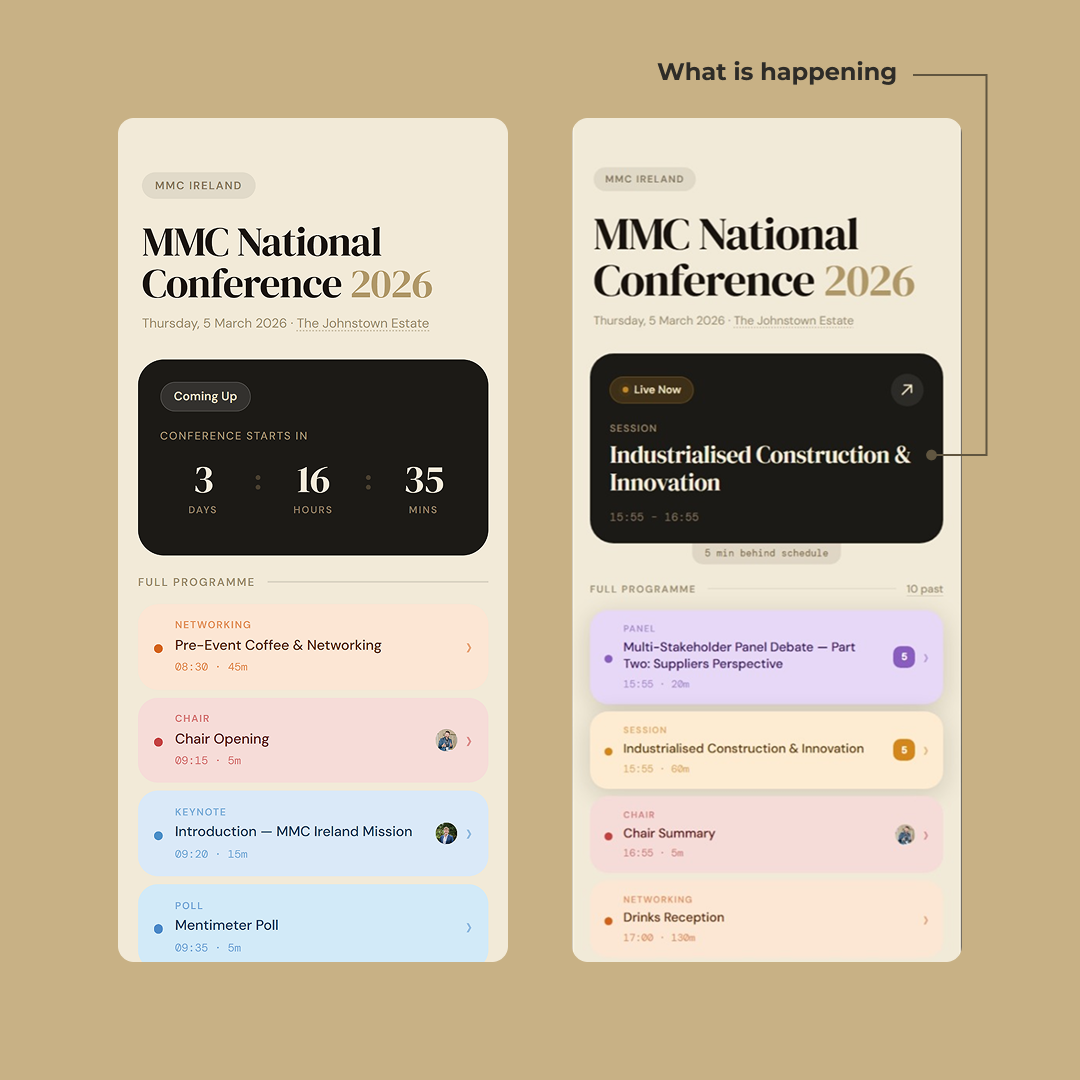
It’s a live schedule. Not a static page with times on it, but a page that knows what time it is and reacts to it. The session currently happening is highlighted, with a countdown telling you how long is left. If the chair runs over, the schedule knows.
What’s on the page
The header counts down to the conference starting, then flips to what’s live right now and what’s coming up next.Tap a session and you get the room, the abstract and the speakers. Tap a speaker and you get their bio, their company, and a link to LinkedIn.
Two kinds of slots
A simple slot is one thing. Coffee break. Chair opening. Lunch. The keynote is a simple slot too: one block of time, one description, maybe a speaker attached to it.
A session is a container. It runs for an hour or two, and it has multiple talks inside it. On the main programme it’s still a single card. Exploding every session into its talks would have made the home screen forty items long and lost the rhythm of the day. The home screen is for navigating the day. The session screen is for navigating the session.
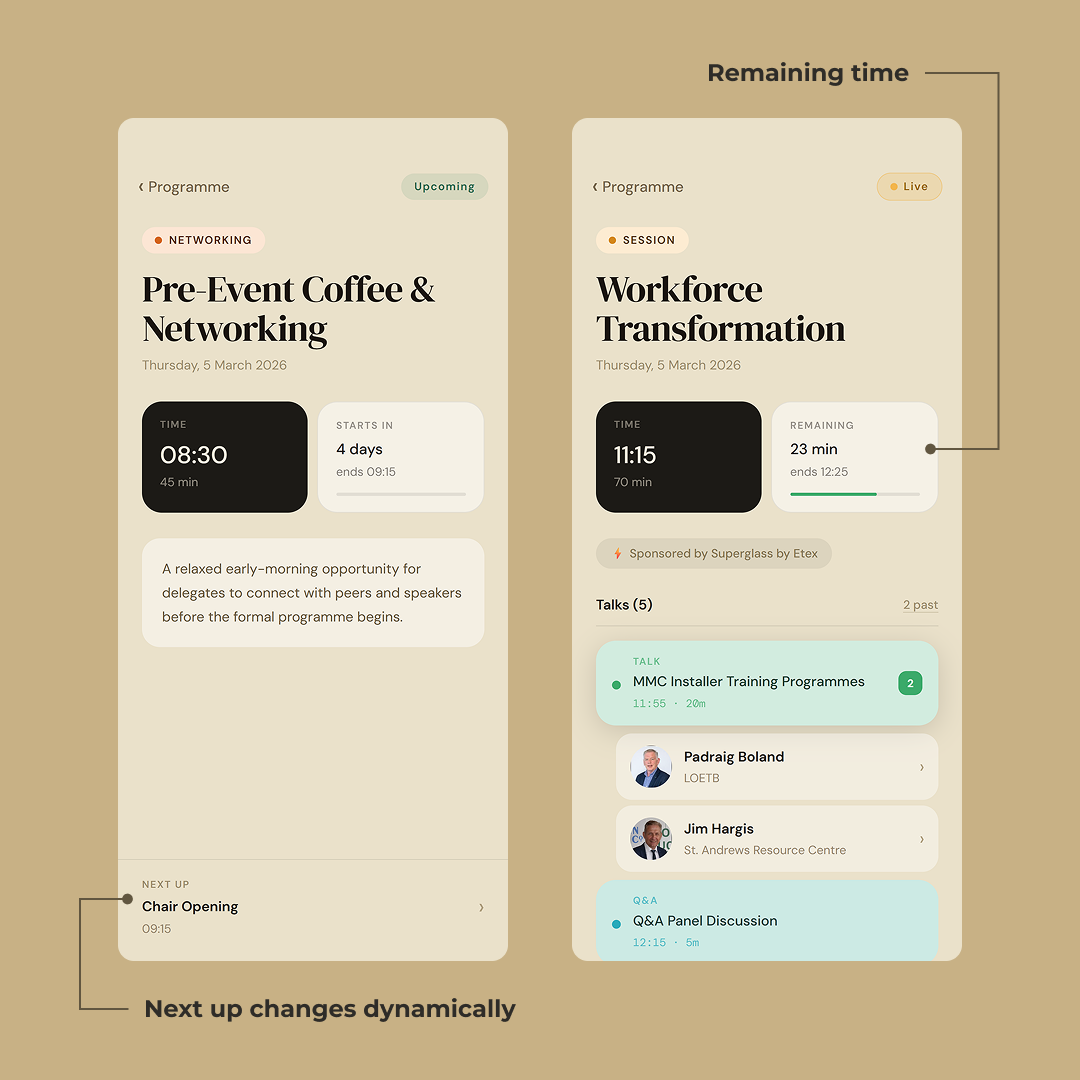
What a session detail page does
Time on the left is the slot’s own clock: when it started, how long it runs. Remaining on the right is the live one: minutes left, the end time, and a progress bar that fills as the session burns down.
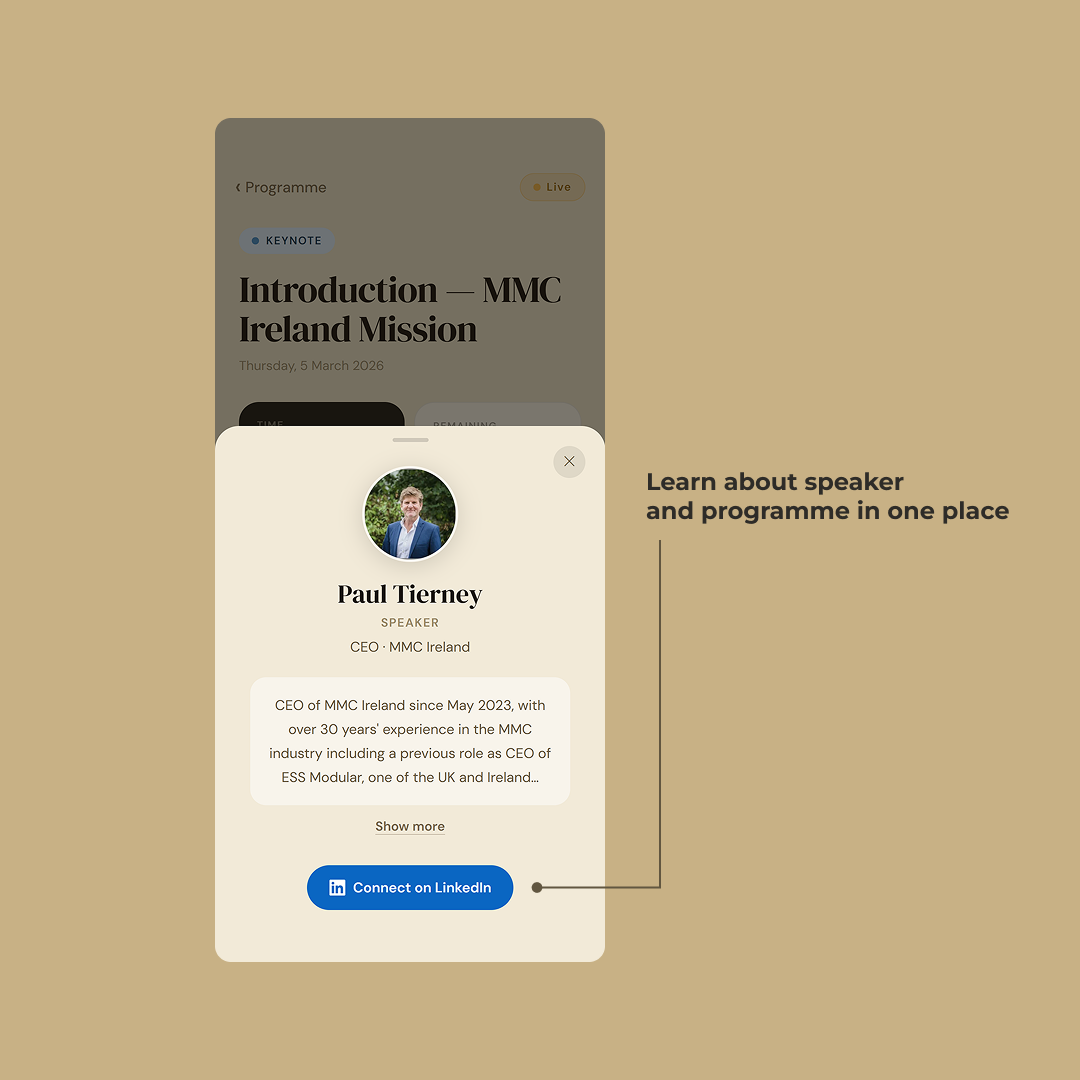
The speaker is one tap away
Paul Tierney
SPEAKER
CEO / MMC Ireland
Paul Tierney is the chief executive of MMC Ireland, the national industry body for Modern Methods of Construction. He has spent the last decade working with gov…
Tap any speaker and the bio slides up over whatever you were looking at, the same from a slot card, from inside a session, and from a panel lineup. The photo is the first thing you see, and that’s on purpose. If you want to find someone at the coffee break you don’t search by name, find them by their face.
Most conference sites split the schedule and the speakers into two tabs and let the user do the joining in their own head. Here the speaker isn’t a page, it’s an object that shows up wherever they’re relevant. You heard them speak, you opened their bio, you connected.
The small things you need on the day
The location on the title card is a link. Tap it and a sheet comes up with where you’re going, where to park, whether there’s Wi-Fi, and a button into your maps app.
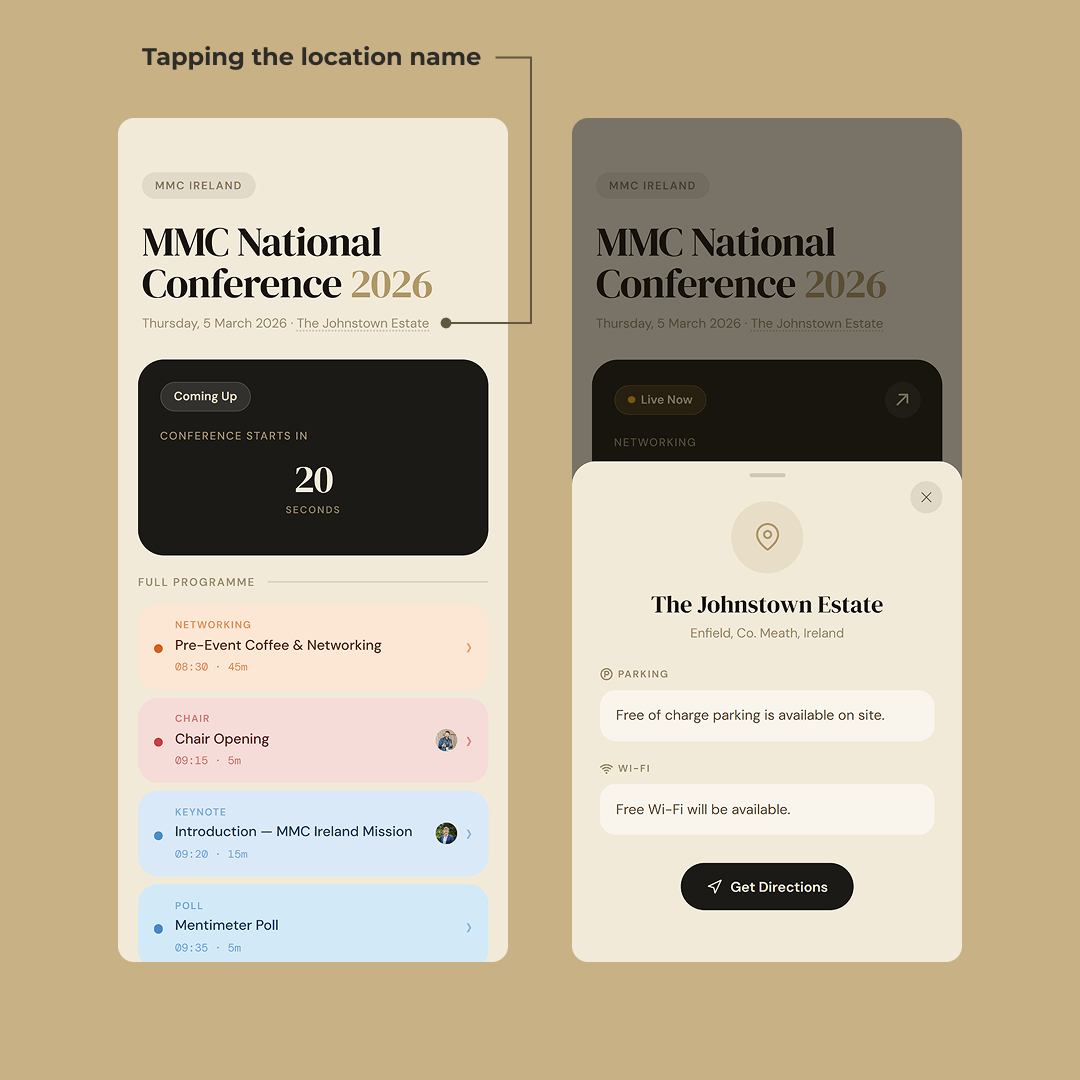
The page is light and cached on the CDN, so it opens fast on a bad connection and works offline once loaded. What offline can’t do is pick up a new offset, so if the day has slipped since your last load you see the old correction until signal comes back.
What happened on the day
People pulled it up between sessions, passed the link to each other, and talked about it in the room. Over 400 unique visits, and what’s even better it’s going to be used again, which is the only endorsement of this kind of work that counts.